
 English
 Bengali
JYJLI Login — Sign In & Sign Up for Your Account
Maybe you spotted JYJLI on a friend's phone during a cricket match, or a cousin sent you a promo link. Now you're parked on the login screen scratching your head about which field goes where. No worries.
Getting into your account here is a seven-second job once you've done it once, and creating a fresh account takes just a couple of minutes. Here's the walkthrough, plain and simple.
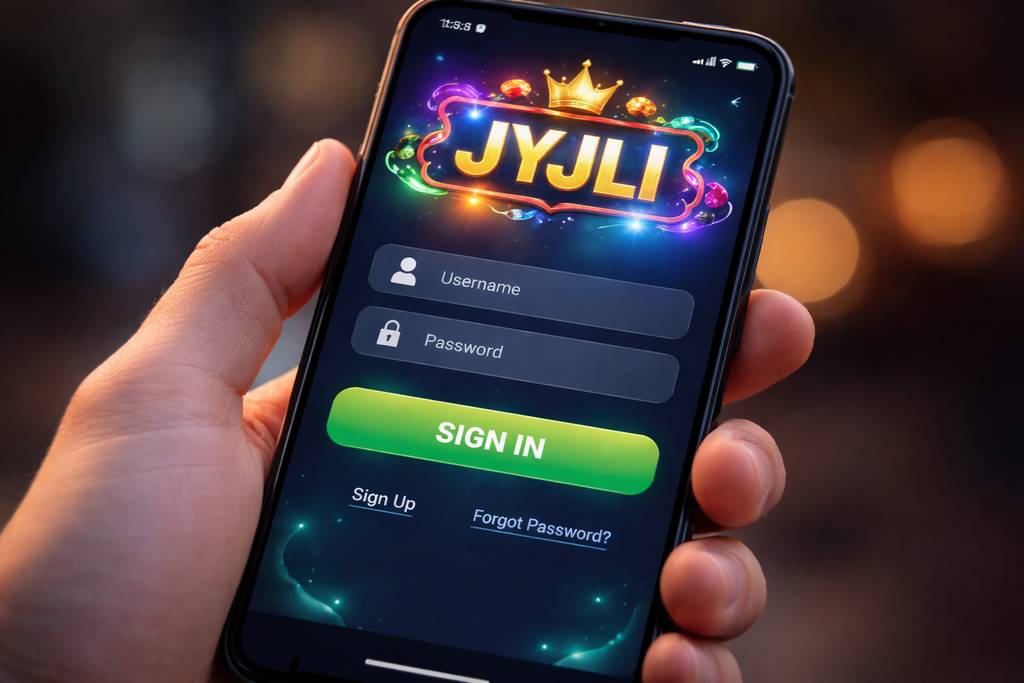
🔑 Signing In to JYJLI
Open the website or launch the app, glance at the top-right corner, and tap the bright Sign In button waiting there.
Type in your username (or the phone number you registered with) plus your password, tap confirm, and the lobby opens up. Job done.
Three ways to get in:
| Method | Requires | Average Speed |
|---|---|---|
| Username + password | Manual typing | ~8 sec |
| Phone + password | Manual typing | ~8 sec |
| Biometric (app) | Fingerprint / Face unlock | ~2 sec |
Quick tip most players miss: if you're signing in from a mate's phone or a shared laptop, always uncheck the "keep me logged in" box. Takes two seconds, saves headaches later.
Already have credentials sorted and just want to hop back in? Jump straight to the casino section after signing in.
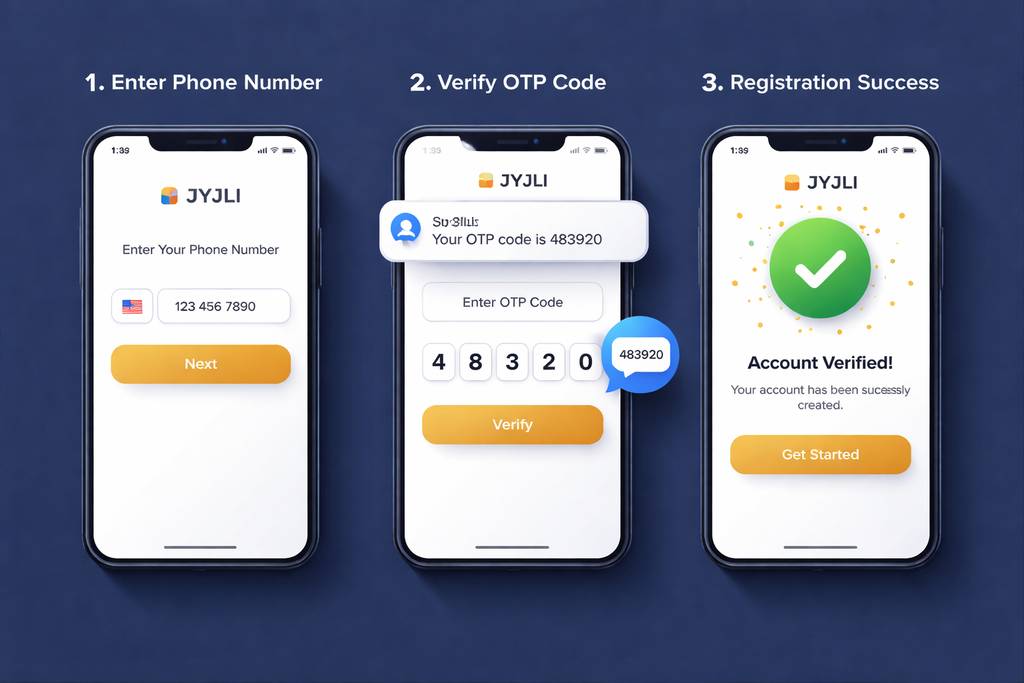
📝 Opening a Fresh Account
No account set up yet? The registration is quick — you just need:
- ✅ A working Bangladesh mobile number
- ✅ A payment wallet you actually use (bKash, Nagad, or Rocket)
- ✅ Around 2 minutes to spare
Follow these steps:
- Tap the Register button on the homepage or inside the app
- Punch in your Bangladesh mobile number — use the one tied to your bKash or Nagad wallet (it matters for withdrawal name-matching later on)
- Pick a strong password — blend letters, digits, and at least one symbol
- Type your full name — exactly as printed on your NID
- Select BDT as your account currency
- Enter a promo code if you've got one — that unlocks the welcome bonus package
- Confirm the OTP code delivered via SMS to your phone
- Submit — and your account is officially open
After signing up, you can browse the slots collection without depositing anything first. Take your time.
What isn't required at signup:
- ❌ Email verification (optional, add later if you want)
- ❌ NID upload (only asked for before your first withdrawal)
- ❌ Selfie or KYC photos (only for withdrawals above ৳ 10,000)
- ❌ Address documents (never requested during registration)
That's a friendlier onboarding than most Bangladesh operators I've tried.
🔒 Keeping Your Account Safe
Your JYJLI account is essentially a digital wallet, so guard it accordingly.
Do this:
- ✅ Choose a password that's unique — never recycle one from email or social media
- ✅ Switch on 2FA (two-factor authentication) from settings — codes via SMS or email when new devices sign in
- ✅ Enable biometric login inside the Android app — fingerprint or face scan
- ✅ Sign out from any shared device — even a family member's tablet
- ✅ Peek at your login history each month (Settings → Security → Login History)
Don't do this:
- ❌ Hand your login details to anyone — no exceptions, not even close friends
- ❌ Store your password in browser autofill on public computers
- ❌ Click password-reset emails you didn't request — always type the URL yourself
- ❌ Play with real money on open wifi hotspots without a VPN — cafe wifi is riskier than most realise
- ❌ Trust Telegram messages claiming to be "JYJLI staff" — genuine support only exists on the platform itself
Phishing warning: if an SMS or email pretending to be JYJLI asks you to click a login link, inspect the URL properly. The real address is jyjli.com — anything with tacked-on words like "jyjli-promo.com" or "jyjli-secure-login.net" is a scam trying to grab your credentials.
❓ Recovering a Lost Password
Forgotten your password? Happens to everyone. Fastest way back in:
- Tap "Forgot Password" on the login screen
- Enter the phone number tied to your account
- Receive a 6-digit SMS code within seconds
- Type that code into the verification field
- Create a fresh password
- Sign in with your new credentials
Start to finish, this takes roughly 2 minutes. Codes expire in 10 minutes for safety reasons.
If the SMS doesn't arrive:
- Check that your phone actually has signal (SMS needs cell coverage)
- Hold on 60 seconds then tap "Resend code"
- Try the email recovery path if you added an email during signup
- Ping live chat as a backup — they can verify you via NID and reset by hand
If you've also lost access to that phone number:
Reach out to support with:
- Your registered full name
- Approximate date you signed up
- Your most recent deposit amount plus method (bKash or Nagad TRX ID helps a lot)
- NID photo for identity confirmation
Support will verify your details manually and either restore access or migrate your account to a new phone number. Expect 24–48 hours — that delay exists because they're being thorough, which is genuinely a good thing.
📱 Phone vs Computer Access
Both options work fine. Different feels though:
- Mobile browser (Chrome, Safari):
- ✅ Runs on any handset, any operating system
- ✅ Zero install required
- ✅ Complete feature set
- ❌ No biometric option
- ❌ A touch slower than the app on 4G - Android app:
- ✅ Fingerprint and face unlock enabled
- ✅ Instant push notifications
- ✅ Better live-stream performance
- ✅ Faster switching between game categories
- ❌ Android exclusive (no iOS build yet)
- ❌ Needs "install from unknown sources" permission - Desktop browser:
- ✅ Larger screen — brilliant for multi-market cricket betting
- ✅ Live streams shine on laptop displays
- ✅ Everything works
- ❌ No biometric login option
- ❌ Not portable, obviously
Most Bangladesh users stick with mobile (Android app if they can, Safari on iPhone otherwise). I only fire up the desktop when I'm juggling several betting markets during a match.
🛟 Getting Help With Login
If you're locked out or something's off, three routes to reach the team:
- 1. Live chat — floating icon at the bottom-right of any page
- Open 24/7 in Bangla and English
- Typical reply: under 3 minutes
- Best for quick fixes (OTP delays, forgotten password) - 2. Email — [email protected]
- Reply window: 4 to 12 hours
- Best for issues that need attached documents
- Include screenshots to speed things along - 3. Official Telegram channel
- Only use the version linked from the platform — copycats exist
- Reply window: 10 to 30 minutes
- Handy for general chats and community advice
Legitimate support agents will never request your password. If anyone claiming to be JYJLI staff asks for it, cut the conversation and block them. No exceptions.
❓ Common Questions
The most frequent hiccups players hit around signing in, registering, OTP codes, and identity checks at JYJLI.
Just enter your Bangladesh phone number and confirm the OTP. Total time around 2 minutes. No paperwork required at signup.
Yes, up to 2 devices simultaneously. Anything beyond that triggers a security prompt — you'll verify identity through SMS.
Hold 60 seconds and hit "Resend". If it still doesn't come, switch from wifi to mobile data (some routers block Bangladesh SMS gateways). Contact support if resends keep failing too.
Yes. SSL encryption on every page, optional 2FA, biometric app login, and login history you can review anytime. Turn on 2FA in Settings for the extra buffer.
Yes, with a verification step. Head to Settings → Personal Details → Change Phone Number. Both the old and new number need OTP confirmation.
No. KYC is only requested before your first withdrawal over ৳ 10,000, or if the system flags something unusual. Signup itself is purely phone plus password.
Message support through live chat. They'll confirm identity through NID and process the closure within 7 days. Any leftover balance gets returned to your registered payment method first.
Account locks for 30 minutes after 5 failed tries. Just use "Forgot Password" to reset — that skips the lockout entirely.
💭 Wrapping Up
Registration and login at JYJLI are honestly among the smoothest I've encountered in the Bangladesh casino space. Phone-number-only signup beats operators who insist on email plus address upfront.
If you hit a snag, live chat gets you sorted fastest. Agents reply in Bangla, and my longest wait was under 5 minutes — even in the middle of the night.
Pick a strong password, activate 2FA, and grab the JYJLI app on Android for one-tap biometric access. That's the combination I use to keep my own account tight.